In this article, we are going to show you how to close or delete your Bitdefender Central account.
Bitdefender Central is an online hub that facilitates the management of all your Bitdefender subscriptions, products, and services. From Central, you can control security for yourself and your entire family. You can install protection, track your lost devices, manage your subscriptions, and run remote scans and optimizations. All in one place. To learn more, see What is Bitdefender Central & How do I use it? before deleting your Bitdefender account.
Once a Bitdefender Central account is deleted, if you change your mind and decide to create a new account, you will still be able to reuse the same email address.
Please note that after deleting a Central account, all Bitdefender services and products will disappear from that particular account. Recreating your Bitdefender Central account with the same email address will not bring the subscriptions back to the account.
Step 1. Open a web browser, go to https://central.bitdefender.com and sign in to the Bitdefender Central account you wish to delete or close.
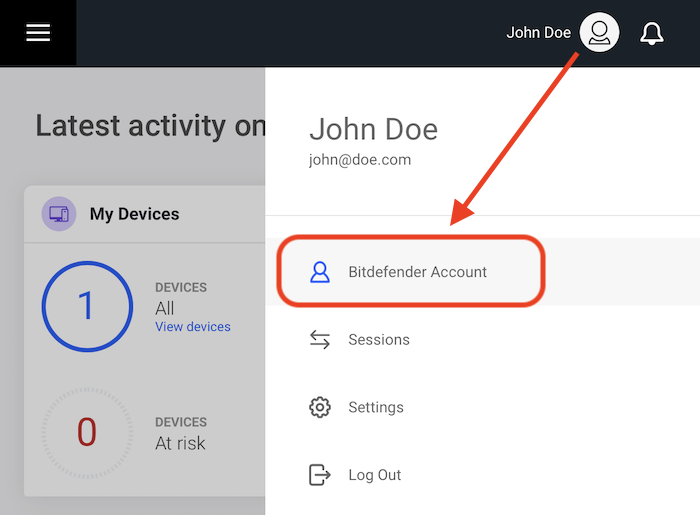
Step 2. Click the account icon in the upper right-hand corner of the page and choose the option Bitdefender Account.
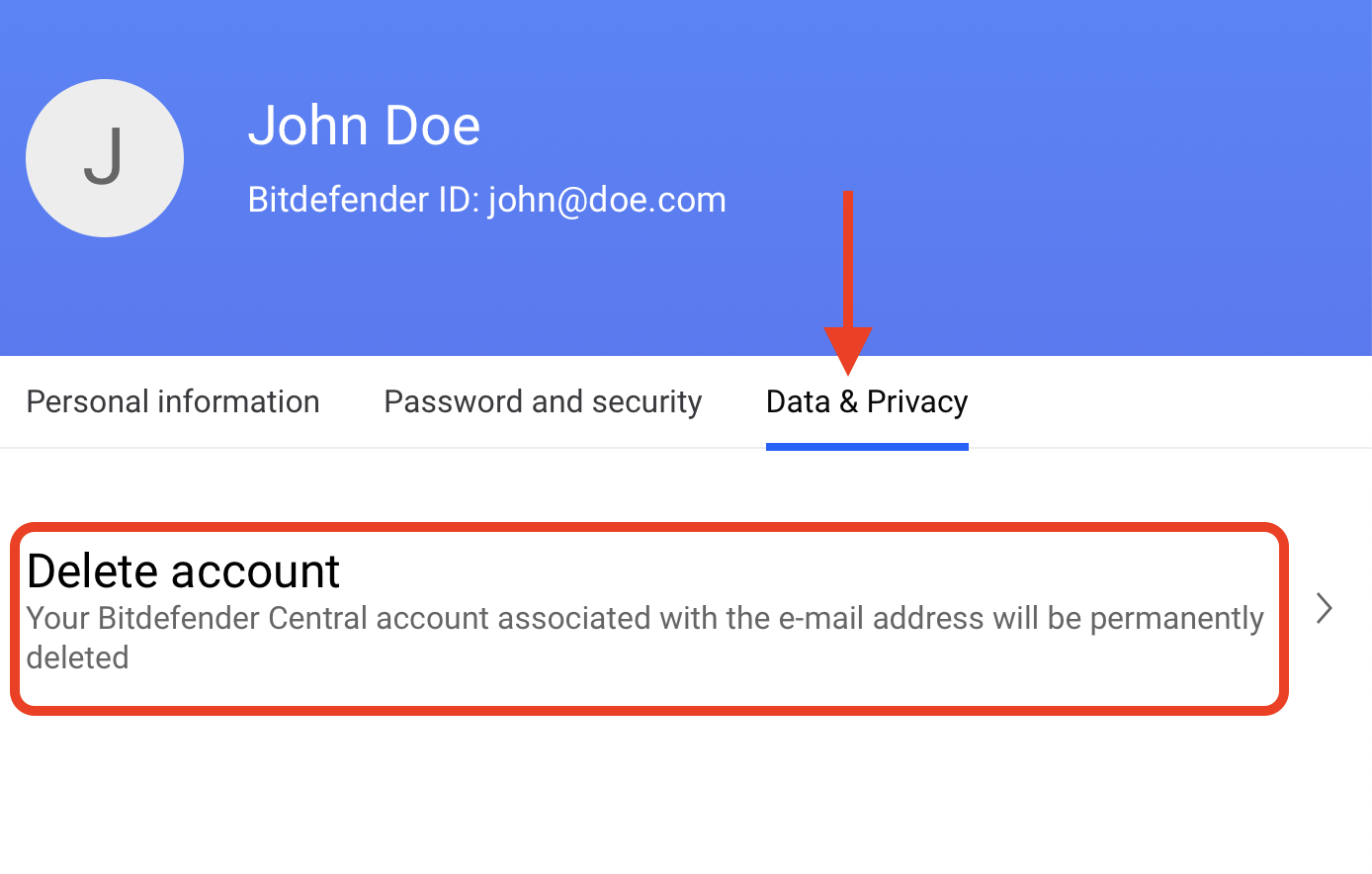
Step 3. The option will open in a new tab. Click on Data & Privacy, then choose Delete account.
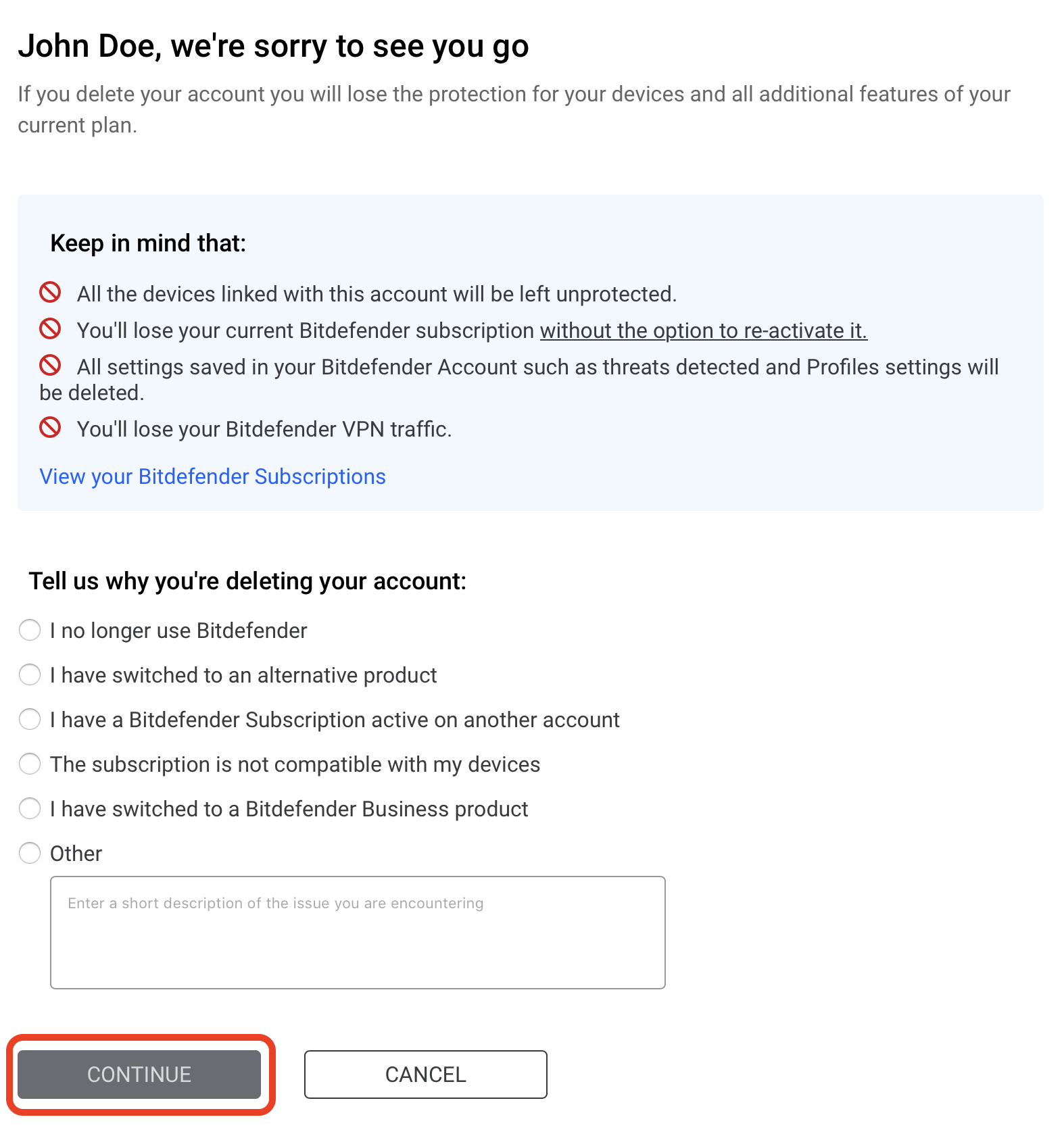
Step 4. Select the reason for choosing to delete this account, then press CONTINUE.
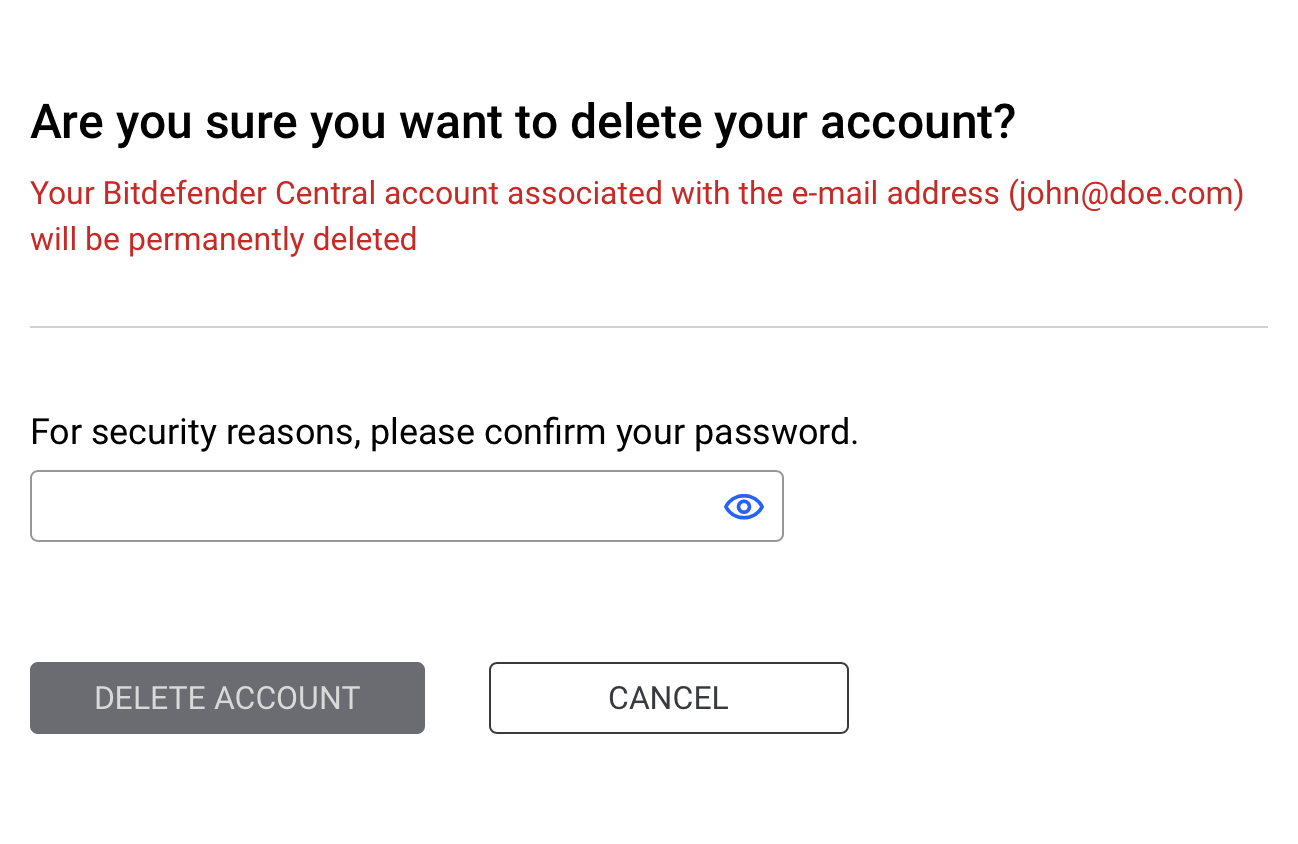
Step 5. Confirm the action by entering the password of your Central account, then click on DELETE ACCOUNT.
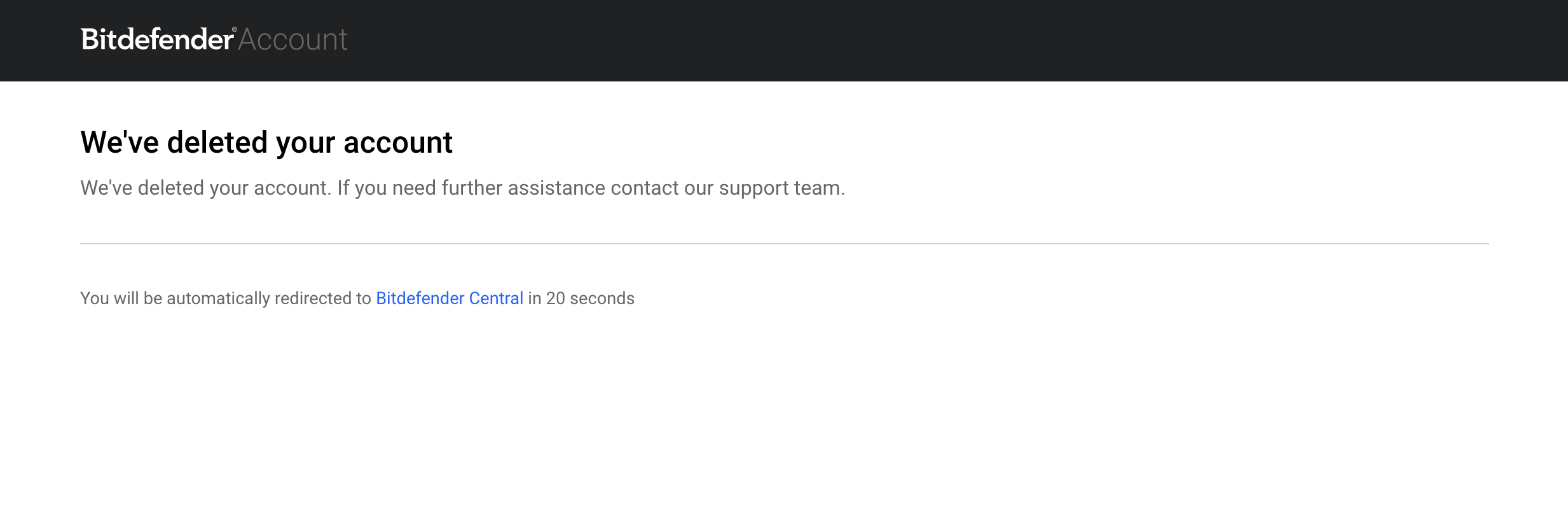
Your Bitdefender Central account has been successfully deleted!